
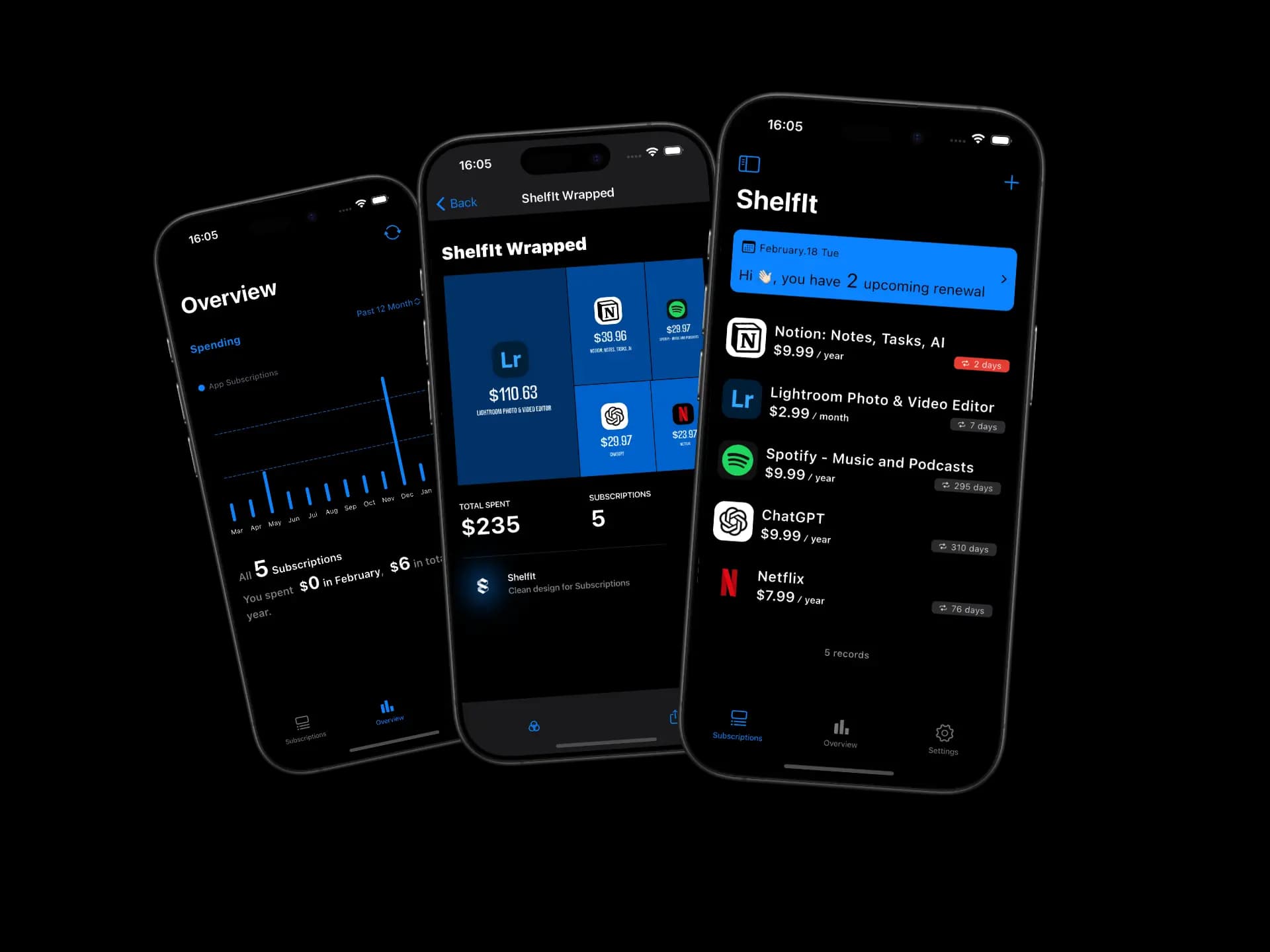
ShelfIt: Bills & SubscriptionsA subscription tracker with native iOS design and beautiful widgets. Data stays in your iCloud. No account needed, no bank access, privacy by default.
Built with SwiftUI, launches fast, and runs smooth. Home Screen widgets, native calendar sync, and iCloud backup included.
- No bank login. No email scan. Just iCloud.
- Bills recalculate on their own
- Synced across iPhone, iPad, Mac, and Vision Pro
- Look up any App Store subscription worldwide

What ShelfIt does
Track recurring payments, get reminded before charges hit, and see where your money goes — without handing over personal data.
App Store Search
Search the App Store directly. Find Netflix, Spotify, or any subscription and add it in one tap.
Auto-Updating Bills
Totals and due dates recalculate on their own. No manual edits.
Any Recurring Payment
Streaming, utilities, gym, SaaS — if it recurs, it belongs here.
Reminders & Calendar
Get notified before renewals, trial expirations, or upcoming bills. Syncs with your calendar.
No Sign-Up Required
Open the app and start adding bills. No account, no email, no credit card.
Quick Add via Share Sheet
See a receipt or invoice? Share it to ShelfIt and the bill is created for you.
Payment History
Log every payment and see how your spending changes over time.
Multi-Currency
Real-time exchange rates built in. Track subscriptions in any currency.
Home Screen Widgets
See upcoming bills right from your Home Screen.
iCloud Only
Your data stays in your iCloud account. We never see it.
Availability & support
Available worldwide. Questions? Email [email protected] — we usually reply within two business days.
Availability
Supports USD, EUR, GBP, JPY, CNY, AUD, CAD, CHF, HKD, SGD — more currencies coming.
Operating languages
English for now. More languages on the way.
Support
[email protected] — we aim to get back to you within two business days.
Frequently asked questions
Do I need to link a credit card or email?
No. Just open the app and start tracking.
How does ShelfIt keep bills up to date?
It recalculates totals and dates automatically based on each bill's renewal cycle.
Can I add a bill from another app?
Yes — use the iOS Share Sheet to send a receipt or subscription page straight to ShelfIt.
Where is my data stored?
In your personal iCloud account, synced across your Apple devices. We don't have access to it.